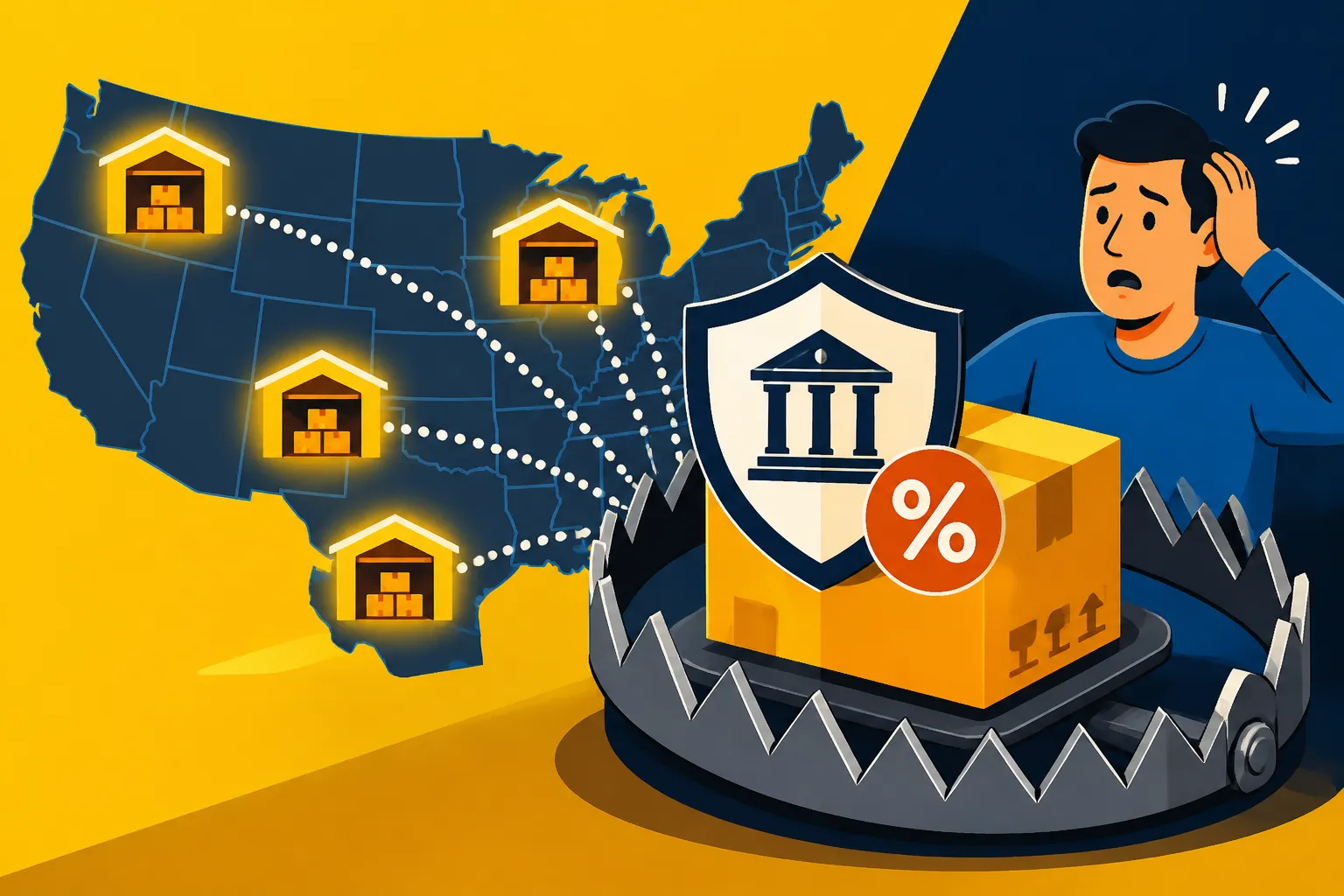
Amazon FBA Inventory Nexus: The Hidden Trap
For many online sellers leveraging Amazon's Fulfillment by Amazon (FBA) program, the complexities of sales tax compliance can feel like navigating a minefield blindfolded. One of the most insidious and often overlooked challenges is understanding how storing your products in Amazon's various warehouses across the country automatically creates a sales tax obligation, often without you even realizing it. This comprehensive guide will pull back the curtain on the "hidden trap" of Amazon FBA inventory nexus, explaining what it means for your business and how you can manage these critical compliance requirements.
Understanding Sales Tax Nexus in the E-commerce World
Before we dive into the specifics of FBA, it's crucial to grasp the fundamental concept of sales tax nexus. This isn't just some abstract legal term; it's the very bedrock upon which your sales tax obligations are built, dictating where you need to collect and remit sales tax. For a long time, it was relatively straightforward, but the digital age threw a massive wrench into that simplicity.
What is Sales Tax Nexus?
At its core, sales tax nexus refers to the sufficient physical presence or economic activity a business has in a state that obligates it to collect and remit sales tax. Traditionally, this was tied to a physical presence: having an office, a storefront, employees, or even just inventory in a state. If you had any of these, you had what's known as "physical nexus." It was pretty clear-cut for brick-and-mortar businesses. If you ran a store in Portland, Oregon, you collected Oregon sales tax (oh wait, Oregon doesn't have sales tax, does it? See, it's tricky even for me sometimes!). If you had a shop in Seattle, you'd collect Washington sales tax.
However, the world of e-commerce, with sellers reaching customers across state lines, complicated things immensely. For years, businesses without a physical presence in a state weren't required to collect sales tax from customers in that state. This all changed dramatically with the 2018 Supreme Court decision in South Dakota v. Wayfair, which essentially said states could require out-of-state sellers to collect sales tax even without a traditional physical presence, provided they met certain economic activity thresholds. This ushered in the era of "economic nexus," but it didn't eliminate physical nexus; it just added another layer. The key takeaway here is that physical presence is still a very potent trigger for sales tax obligations, and that's where FBA comes into play. You can learn more about the different types of nexus by checking out our guide on Sales Tax Nexus Explained Physical vs Economic.
The Rise of Economic Nexus and Why FBA is Different
The Wayfair decision fundamentally reshaped the sales tax landscape for online sellers. Suddenly, states could impose sales tax obligations on businesses based purely on their sales volume or number of transactions into that state, regardless of whether they had a physical office or warehouse there. Most states set thresholds, commonly $100,000 in sales or 200 separate transactions annually, though these vary widely. For example, California's threshold is a substantial $500,000 in sales, while others like New York have a $500,000 sales threshold and 100 transactions. This means if your online store sells enough widgets to customers in, say, Texas, you might hit their economic nexus threshold and have to register there. Our Economic Nexus by State 2026: Thresholds Guide provides a comprehensive look at these varying rules.
While economic nexus significantly broadened sales tax obligations, it's crucial to understand how it differs from FBA inventory nexus. Economic nexus is all about your sales activity. FBA inventory nexus, on the other hand, is about physical presence. When you send your products to an Amazon fulfillment center, those products become your physical property stored in a warehouse within a specific state. Even if you haven't sold a single item to a customer in that state, the mere act of storing your inventory there creates a physical nexus. This distinction is often a source of confusion and frustration for FBA sellers, as they might be diligently tracking their economic nexus thresholds only to be blindsided by obligations stemming from their inventory.
The Hidden Trap of Amazon FBA Inventory Nexus
This is where the rubber meets the road for Amazon FBA sellers. The very convenience and efficiency that makes FBA so attractive – Amazon handling storage, packing, and shipping – also creates a significant, often invisible, sales tax burden. Many sellers discover this "trap" long after they've started selling, leading to a scramble to get compliant and potentially costly back taxes and penalties.
How FBA Creates Physical Nexus
When you enroll in Fulfillment by Amazon, you send your inventory to Amazon's distribution centers. From there, Amazon distributes your products to various fulfillment centers across the country to optimize shipping times and logistics for their Prime customers. Here's the critical point: each state where Amazon stores your inventory creates a physical nexus for your business in that state. It's not Amazon's inventory; it's yours. And because you have property (your goods) physically located in that state, even if it's just passing through or waiting to be shipped, you now have a physical presence there.
Imagine this scenario: you're based in Florida and you've never sold enough to hit economic nexus in any other state. But you send a batch of inventory to Amazon. Amazon, in its infinite logistical wisdom, decides to store some of your products in a fulfillment center in Kentucky, some in Arizona, and some in Pennsylvania. Instantly, you've created physical nexus in Kentucky, Arizona, and Pennsylvania, regardless of your sales volume to customers in those states. This obligation exists because your tangible personal property is physically present there. It's like having a mini-warehouse in each of those states, even though you don't own the building or directly control its operations. This is why it's such a hidden trap – you're relying on Amazon's network, which is designed for their efficiency, not your sales tax compliance.
The Lack of Seller Control Over Inventory Location
One of the biggest frustrations for FBA sellers regarding sales tax nexus is the almost complete lack of control over where their inventory is stored. When you ship products to Amazon, you typically send them to a designated receiving center, but Amazon then has the discretion to move your inventory around its vast network of fulfillment centers. This "distributed inventory placement" strategy is excellent for Amazon's speed and efficiency, ensuring products are close to customers nationwide. However, for you, the seller, it means your sales tax nexus footprint can expand unexpectedly and continuously.
You might send a pallet of goods to a fulfillment center in Georgia, only to find out weeks later that some of those items have been transferred to warehouses in Ohio, Indiana, and even California. Each new state where your inventory lands potentially creates a new nexus. This makes manual tracking incredibly challenging, if not impossible. You can't call Amazon and tell them to only store your items in specific states to limit your nexus. Their system prioritizes their logistical goals. This lack of transparency and control means that your nexus profile is dynamic, constantly shifting, and often requires specialized tools or painstaking manual effort to monitor effectively. It’s a classic case of convenience on one hand leading to complexity on the other, leaving many sellers feeling overwhelmed by the sheer unpredictability of their sales tax obligations.
Identifying Your FBA Nexus States
Given the unpredictable nature of Amazon's inventory placement, how on earth are you supposed to know where you have nexus? This is arguably the most challenging part for FBA sellers, and it requires some digital detective work within your Amazon Seller Central account. It’s not always straightforward, but the data is there if you know where to look.
Leveraging Amazon Reports
Amazon provides several reports within Seller Central that can shed light on your inventory's movement and storage locations. The most commonly used reports for identifying FBA inventory nexus are:
- Inventory Event Detail Report: This report is a treasure trove of information. It tracks every event related to your inventory, including receipts into fulfillment centers, transfers between centers, and customer returns. By filtering this report by "Transfer" events and looking at the "destination fulfillment center" information, you can get a good idea of where your inventory has been stored. You'll see the state and city of these centers, giving you the critical geographical data you need.
- Daily Inventory History Report: As the name suggests, this report gives you a daily snapshot of your inventory levels in various fulfillment centers. While it can be quite granular and generate a massive amount of data, it's excellent for confirming sustained inventory presence in particular states over time.
- FBA Customer Shipments Report: This report shows where your orders are being shipped from, which can indirectly indicate where your inventory was located at the time of sale. While not a direct nexus report, consistent shipments from a particular state's fulfillment center strongly suggest you've had inventory there.
To access these reports, you typically navigate to "Reports" in Seller Central, then "Fulfillment." From there, you'll find various inventory and sales reports. You'll usually need to download them as a CSV or Excel file and then use spreadsheet software to filter and analyze the data for unique state locations of fulfillment centers. It's a bit of a manual data crunch, but it's the most direct way Amazon provides this information.
The Limitations of Amazon Data for Nexus Tracking
While Amazon's reports are indispensable, they come with significant limitations when it comes to comprehensive nexus tracking. First, these reports are retrospective. They tell you where your inventory was or has been, not necessarily where it is right now or where it will be. This means you're always a step behind, trying to catch up to Amazon's dynamic logistics. For some sellers, the sheer volume of data generated by these reports can be overwhelming, making it difficult to pinpoint every single state where nexus might have been established. Imagine trying to comb through thousands of lines of data every month or quarter to identify every new state your goods touched!
Moreover, these reports aren't designed with sales tax compliance specifically in mind. They are primarily for inventory management. This means you won't find a neat summary of "nexus states" ready for you to use. You have to extract, clean, and analyze the data yourself. This manual process is not only time-consuming and tedious but also highly prone to human error. Missing even one state where your inventory created nexus could lead to non-compliance, potential audits, and hefty penalties down the line. This is precisely why many FBA sellers find themselves caught in this hidden trap – the data exists, but it's presented in a format that makes proactive, precise nexus tracking a monumental task for anyone not solely dedicated to sales tax.
The Compliance Nightmare: Registering and Collecting
Once you've identified the states where your FBA inventory has created nexus, the real work begins. This isn't just about knowing; it's about acting, and the action involves navigating a labyrinth of state-specific rules for registration, collection, and remittance. It can feel like you've gone from running a business to becoming a mini tax agency.
When and Where to Register for a Sales Tax Permit
The moment your inventory touches down in an Amazon fulfillment center in a new state, you generally establish physical nexus there. This typically triggers the obligation to register for a sales tax permit (sometimes called a seller's permit, vendor's license, or certificate of authority) in that state. The when is immediate; the where could be many places. This means if your FBA inventory has been in five different states, you likely need five different sales tax permits. You can’t just pick and choose; you need to register in all nexus states. This can be a daunting prospect, especially if you've been operating for a while and have inventory in many states without realizing your obligations. Our guide on How to Get a Sales Tax Permit by State offers detailed instructions for each jurisdiction.
The process for obtaining a sales tax permit varies from state to state. Some states have straightforward online applications, while others might require more documentation or a longer processing time. You'll typically need your federal Employer Identification Number (EIN), business name, address, and an estimate of your sales volume. The critical thing to remember is that you generally cannot legally collect sales tax in a state until you have registered for a permit there. Trying to collect without a permit can lead to its own set of problems, including fines. Many sellers, upon discovering their multi-state nexus, realize they need to register in numerous jurisdictions, turning a single business into a complex sales tax entity.
The Challenges of Multi-State Sales Tax Collection
So, you've registered in all your nexus states. Congratulations! Now comes the daily challenge of collecting the correct amount of sales tax on every sale. This is where the true complexity of sales tax shines (or rather, glares).
- Varying Rates: Sales tax rates aren't uniform. Not only do state sales tax rates differ, but most states also have local, county, city, and even special district taxes layered on top. For instance, a sale in Los Angeles County, California, will have a different combined rate than a sale in San Francisco, even within the same state. Our article on Combined State + Local Sales Tax Rates Explained details just how intricate these combined rates can be.
- Taxability Rules: What's taxable in one state might be exempt in another. Clothing over a certain dollar amount, specific food items, digital products, and services all have different taxability rules depending on the state and sometimes even the local jurisdiction. Trying to keep track of whether that yoga mat or e-book is taxable in Kentucky versus Kansas can quickly become a full-time job.
- Sourcing Rules: States also have different "sourcing rules" that determine which sales tax rate to apply—the rate at the origin of the shipment (where you are) or the destination of the shipment (where the customer is). Most states use destination-based sourcing for remote sellers, but there are exceptions and complexities.
- Filing Frequencies and Due Dates: Each state will assign you a filing frequency (monthly, quarterly, annually) based on your sales volume. And guess what? The due dates are also different! Trying to remember to file your California sales tax by the last day of the month, your Texas sales tax by the 20th, and your New York sales tax on a different quarterly schedule can become a scheduling nightmare.
This intricate web of rules makes manual sales tax collection an almost impossible feat for most FBA sellers. Even with Amazon acting as a Marketplace Facilitator Laws by State and collecting sales tax on your behalf in many states, you still bear the responsibility for accurate reporting and remittance, especially for sales made outside of Amazon's platform (e.g., your own website). The challenge is not just knowing if you need to collect, but how much and where, for every single transaction.
Strategies for Managing FBA Sales Tax Nexus
Navigating the labyrinth of FBA inventory nexus doesn't have to be a solo journey fraught with peril. There are viable strategies and tools that can help you manage your obligations and mitigate risks. The key is moving from a reactive "trap" mentality to a proactive, informed approach.
Manual Tracking vs. Automated Solutions
When faced with the challenge of FBA inventory nexus, sellers typically have two main paths: attempt to track everything manually or invest in automated sales tax compliance software.
Manual Tracking:
- Pros: Low upfront cost (just your time and spreadsheet software). Gives you a deep, albeit painful, understanding of the data.
- Cons:
- Extremely Time-Consuming: Downloading, filtering, and analyzing Amazon's various inventory reports every month or quarter is a massive drain on time. For businesses with high inventory turnover or a wide distribution network, this can be hours upon hours of work.
- Prone to Error: Human error is inevitable. Missing a fulfillment center, misinterpreting a report, or making a calculation mistake can lead to incorrect filings, penalties, and a potential audit nightmare.
- Retrospective Only: You're always looking at past data, which doesn't help you anticipate future nexus changes or proactively register.
- Doesn't Handle Collection/Filing: Manual tracking only helps you identify nexus states. It doesn't assist with calculating the correct tax rates for each transaction or actually filing your returns.
Automated Solutions:
- Pros:
- Nexus Tracking: Modern sales tax software, such as Avalara, can integrate directly with your Amazon Seller Central account to automatically monitor your inventory movements across Amazon fulfillment centers. This takes the guesswork and manual labor out of identifying where you've established physical nexus.
- Rate Calculation: These tools determine the precise sales tax rate (state, county, city, district) for every transaction based on the buyer's shipping address and the taxability of the product. They stay updated on constant rate changes and complex sourcing rules.
- Filing & Remittance: Many solutions automate the preparation and filing of your sales tax returns in all your nexus states, often remitting the collected tax on your behalf. This ensures you meet all due dates and reduces the risk of late filing penalties.
- Audit Trail: Automated systems maintain detailed records of all transactions, calculations, and filings, providing a robust audit trail if ever needed.
- Cons:
- Cost: There's an investment involved. While pricing models vary, these are subscription-based services. However, the cost often pales in comparison to the time saved and the potential penalties avoided.
- Integration: While generally robust, ensuring seamless integration with all your sales channels (Amazon, Shopify, your own website, etc.) is crucial.
For most FBA sellers, especially those with growing businesses, automated sales tax software is not just a convenience, but a necessity. It frees up valuable time, reduces stress, and significantly improves compliance accuracy. If you're weighing your options, exploring solutions like Avalara can be a wise next step. You might also want to explore our comparison on Avalara vs TaxJar Which Sales Tax Software to see other options.
Proactive Compliance and Risk Mitigation
Managing FBA inventory nexus isn't a one-time fix; it's an ongoing process. Being proactive is the best defense against compliance headaches and potential financial repercussions.
- Regular Nexus Reviews: Even with automated software, it's good practice to periodically review your nexus profile. Understand which states your inventory has touched and ensure your registration and collection efforts align. This is part of a broader strategy for How to Stay Sales Tax Compliant as You Grow.
- Understand Marketplace Facilitator Laws: Remember that Amazon is a marketplace facilitator. In most states, Amazon collects and remits sales tax on FBA sales made through their platform. However, this does not absolve you of all responsibility. You still need to register in states where you have nexus (even if Amazon collects) and often need to file "zero returns" or reports to those states, accounting for the sales Amazon handled. Also, if you sell on your own website to customers in those nexus states, you are responsible for collecting that tax yourself. You can read more about this in Do I Still Need a Permit If Amazon Collects?.
- Consider Voluntary Disclosure Agreements (VDAs): If you've discovered you've had nexus in states for a while but haven't been collecting or remitting sales tax, don't panic. Many states offer Voluntary Disclosure Agreements. These programs allow businesses to come forward, pay back taxes (often with a limited look-back period, meaning you might not owe for all prior years), and sometimes have penalties waived or reduced. It's a way to get compliant without facing the full force of an audit. Always consult with a sales tax professional if you're considering a VDA.
- Stay Informed: Sales tax laws are dynamic. States frequently update their nexus thresholds, taxability rules, and even rates. Subscribing to sales tax news updates or utilizing software that automatically tracks these changes, like Avalara, is crucial.
By understanding the unique challenges posed by Amazon FBA inventory nexus and adopting proactive compliance strategies, you can transform what feels like a hidden trap into a manageable aspect of running your successful e-commerce business.
Comparing FBA Sales Tax Nexus Management Options
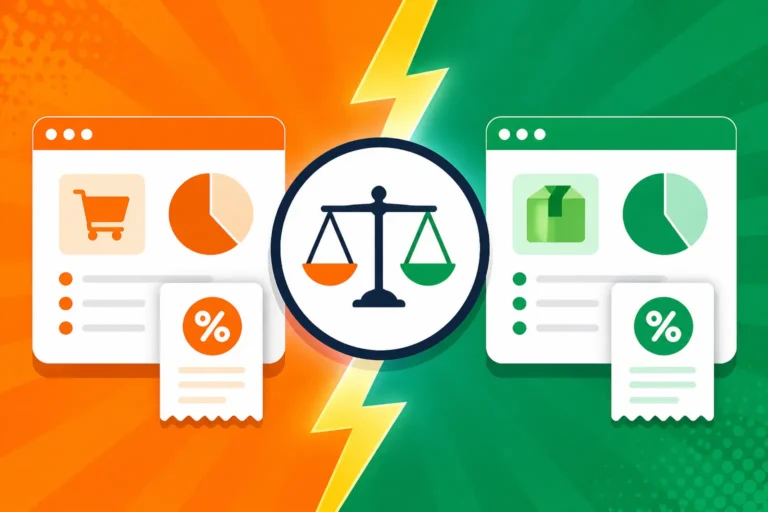
Here’s a quick look at the pros and cons of different approaches to managing your FBA sales tax nexus:
| Feature/Method | Manual Tracking (Spreadsheets) | Automated Sales Tax Software (e.g., Avalara) |
|---|---|---|
| Initial Cost | Very low (time is the main cost) | Subscription fee (monthly/annually) |
| Nexus Identification | Requires extensive manual data extraction and analysis from Amazon reports | Automatic monitoring of inventory movements; identifies nexus states continuously |
| Rate Calculation | Manual research, prone to error, difficult to stay updated | Real-time, accurate rate calculation based on precise addresses and product type |
| Filing & Remittance | Manual preparation and submission to each state's tax authority | Automated filing and remittance across all nexus states |
| Audit Risk | Higher due to potential for errors, missed deadlines, or incomplete data | Lower due to accuracy, comprehensive record-keeping, and timely submissions |
| Time Commitment | Very high, especially for businesses with high sales volume/many states | Very low once set up; significant time savings |
| Scalability | Poor; becomes unsustainable as business grows or expands to more states | Excellent; handles growth and increased complexity seamlessly |
| Expertise Required | Significant understanding of state-specific sales tax laws, sourcing, taxability | Minimal; software handles the complex tax logic and updates |
Disclaimer
Please remember that this article provides general information and guidance regarding sales tax for Amazon FBA sellers and should not be considered legal or tax advice. Sales tax laws are complex and constantly changing. We highly recommend consulting with a qualified tax professional or sales tax expert to discuss your specific business situation and ensure full compliance.